
EN
You paid for a VPN because you thought it would keep you safe online. But when it comes to phishing sites and fake online stores, that's exactly where your protection ends.
In a Nutshell
Millions of people subscribe to a VPN believing it makes them safe online. The ads are everywhere: "Stay protected with a VPN." "Browse securely." "Don't let hackers get you." It sounds comprehensive. It isn't.
When it comes to scam websites, fake online stores, and phishing pages designed to steal your money and personal data, a VPN offers almost no protection at all. This is one of the most widespread misconceptions in consumer cybersecurity, and it's costing people real money.
The hard truth: The FTC reported $16 billion in fraud losses in 2025, the highest figure on record, up 25% from the year before. A significant share of those losses happened to people who thought they were protected. Understanding exactly what a VPN does and does not do is the first step to actually staying safe.
A Virtual Private Network does exactly what the name implies: it creates a private, encrypted tunnel between your device and the internet. When you use a VPN, your internet traffic is routed through a server operated by the VPN provider, which masks your real IP address and encrypts the data in transit.
This is genuinely useful in specific scenarios:
These are real benefits. But notice what is not on that list: evaluating whether a website is legitimate, blocking fake stores, or warning you about phishing pages. A VPN has no mechanism to do any of those things.
The core limitation: A VPN routes your traffic. It does not inspect it. It has no ability to look at the website you're visiting and determine whether it's a legitimate retailer or a convincing fake designed to steal your credit card number.
Think of it this way. A VPN is like an armored car that transports your letters safely from point A to point B. It protects the journey. But if the address on the envelope is wrong, if you're unknowingly sending your personal details to a criminal rather than your bank, the armored car delivers them just as efficiently. It has no idea the destination is fraudulent.
See more details here: What Does a VPN Hide? (And What It Absolutely Can’t)
Scams are not primarily a technical attack. They are a deception attack. Fraudsters do not hack your connection; they trick you into willingly handing over your information. That distinction is everything, because it means encryption is completely irrelevant to the threat.
Here is the scenario that plays out millions of times every day. You receive a message, an email, a text, a social media ad, that contains a link to what appears to be a familiar website. Your bank. A delivery company. A popular online store. You click the link and land on a page that looks completely authentic. You enter your login credentials or payment details. And just like that, a criminal has them.
Your VPN was running the entire time. It encrypted your connection to that fake page perfectly. It just had no idea the page was fake. According to the Anti-Phishing Working Group (APWG), over one million phishing attacks were recorded in the first quarter of 2025 alone, the highest volume since late 2023.
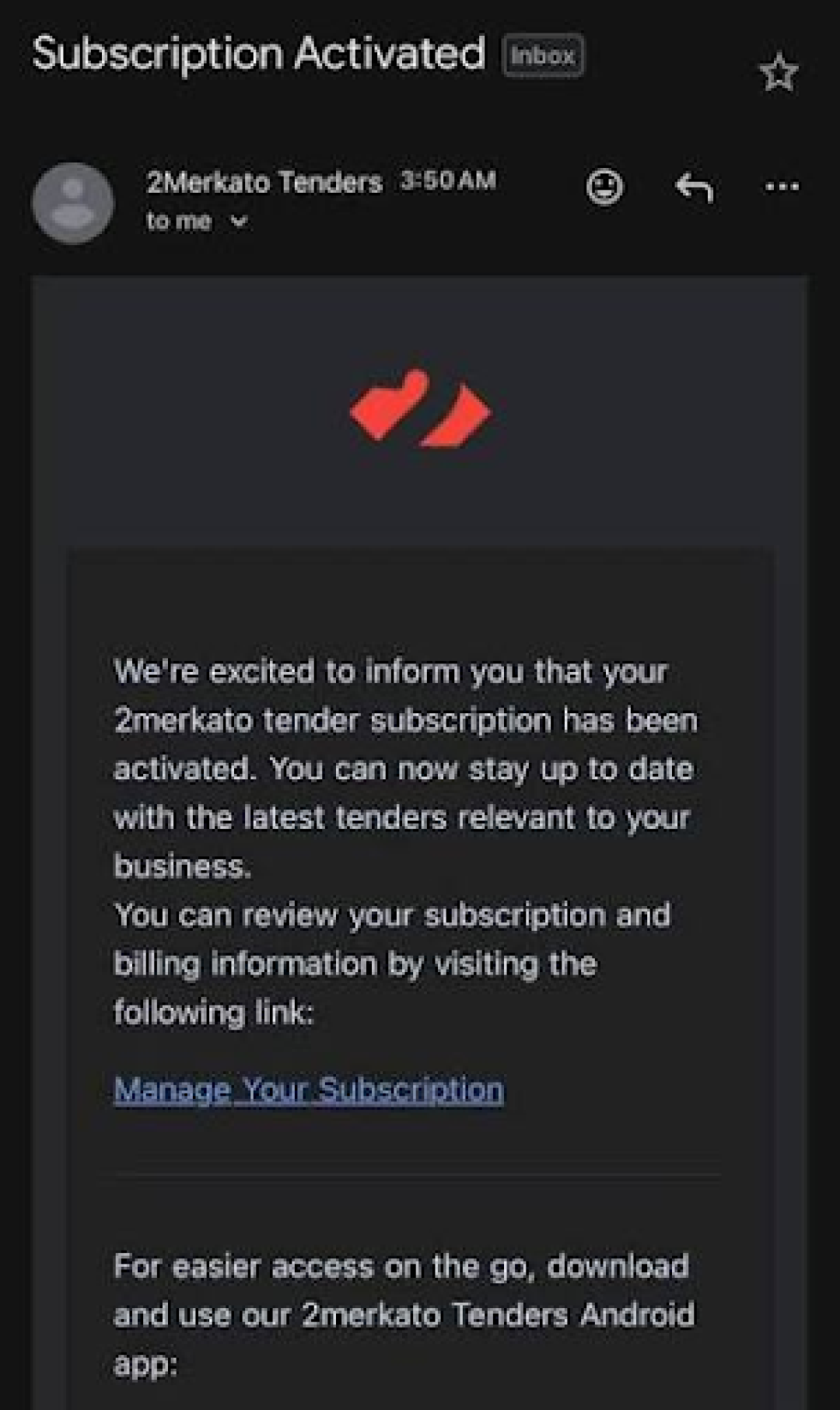
Example of Phishing email. Source: Reddit
A VPN encrypts your data in transit. Phishing doesn't intercept your data in transit. It tricks you into giving it away voluntarily. Those are two entirely different problems requiring two entirely different solutions.
The gap between what VPNs are marketed to do and what they actually do is significant. Here is a clear breakdown:
The FBI's Internet Crime Complaint Center (IC3) recorded $16.6 billion in internet crime losses in 2024, with phishing and spoofing ranking as the most reported cybercrime category. These are not crimes that encryption stops. They are crimes that awareness and purpose-built detection tools stop.
To understand just how exposed most people are, consider the scope of the scam website problem today.
ScamAdviser scans over one million new websites every single month. The vast majority of these are legitimate, but a significant portion are not: fake shops impersonating real brands, investment fraud sites, phishing pages cloned from banking portals, and counterfeit storefronts selling products that never arrive. These sites are built to look trustworthy. Many have SSL certificates (the padlock icon in your browser), which means a VPN's encryption adds nothing because the fraudulent site already has its own encryption in place.
Key insight: An SSL certificate only means your connection to a website is encrypted. It says nothing about whether the website itself is honest. Scammers know this and routinely use SSL to appear credible.
According to Pew Research, 73% of U.S. adults have experienced some form of online scam or attack, and 21% have lost money as a direct result. These are people who were likely taking some precautions. Many of them probably had a VPN.
The threat is also accelerating. The FTC reported that imposter scam losses alone reached $3.5 billion in 2025, nearly three times the figure from 2020. Scammers are getting more sophisticated, their fake websites more convincing, and their targeting more precise. A privacy tool built for a different era of internet threats is not equipped to handle this.
Protecting yourself from scam websites requires a tool that does something fundamentally different from a VPN: it needs to evaluate the destination, not just the journey. That means checking whether a website is legitimate before you interact with it, not simply encrypting whatever you send to it.
This is exactly what ScamAdviser's Surf Shield feature is built to do.
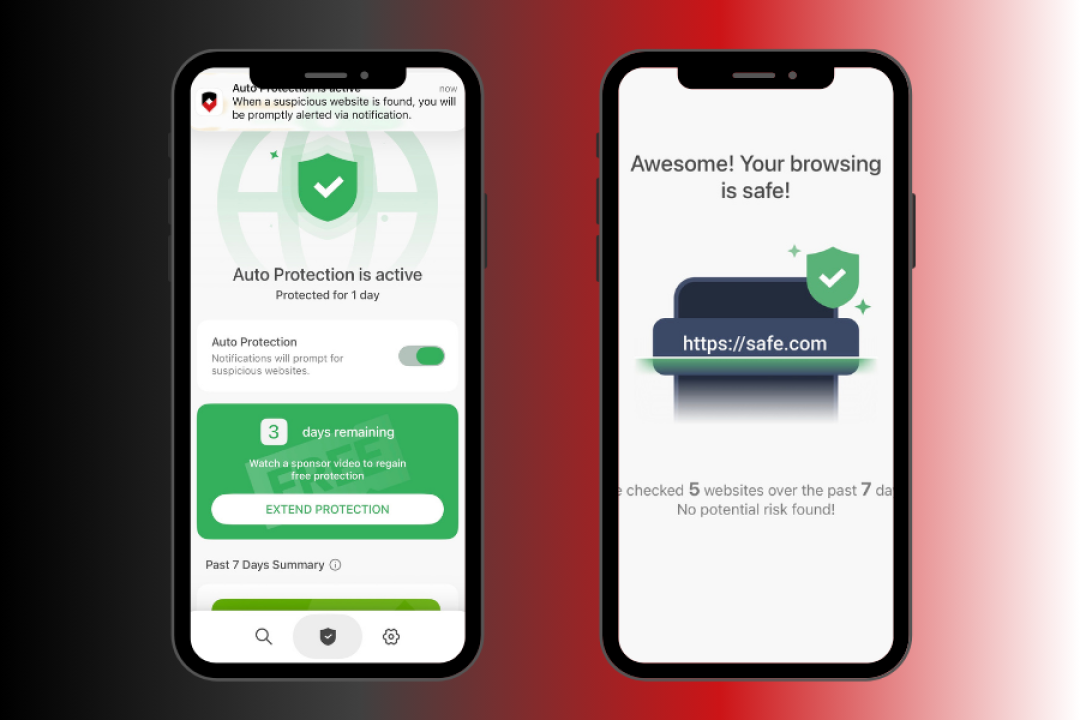
Surf Shield is the real-time web protection feature built into the ScamAdviser app, available on both iOS and Android. When you browse the web on your phone, Surf Shield automatically checks every URL you visit against ScamAdviser's extensive database of known scam websites, phishing pages, and fraudulent domains. If a suspicious site is detected, you receive an instant alert before you have the chance to enter any personal or payment information.
It is worth being clear about one technical detail: the ScamAdviser app uses Android's VpnService to monitor URLs on your device. This is a technical mechanism for intercepting and checking web requests locally, not a traditional VPN. It does not route your traffic through a remote server, does not change your IP address or location, and does not affect your browsing privacy in the way a conventional VPN does. It is purely a detection and warning system.
ScamAdviser's detection engine analyzes over 40 data points on each website to assess its legitimacy. These signals include:
No single signal is definitive. The combination of 40+ data points is what makes the assessment reliable. A brand-new site with hidden registration details, hosted on infrastructure flagged by security researchers, with no verifiable traffic history, scores very differently from a decade-old retailer with transparent ownership and millions of monthly visitors.
Consider what happens when you receive a text message claiming your package is delayed and asking you to click a link to confirm your delivery address. With a VPN alone, you click the link, land on a convincing fake courier site, and enter your details. The VPN encrypts the transaction and delivers your data to the fraudster without a word of warning.
With Surf Shield active, the moment that link resolves to a known or suspected phishing domain, you receive an alert. You see a warning before the page fully loads. You never enter anything. The scam fails.
That is the fundamental difference between privacy protection and scam protection.
Surf Shield is the real-time browsing protection layer, but the ScamAdviser app covers a broader range of threats that users encounter on their phones every day.
Automatically checks websites you visit and domains connected to apps on your phone, warning you about scam and phishing sites in real time.
Site Shield
The app also sends real-time push notifications when a suspicious website is detected, so protection is automatic rather than requiring you to remember to check before every click.
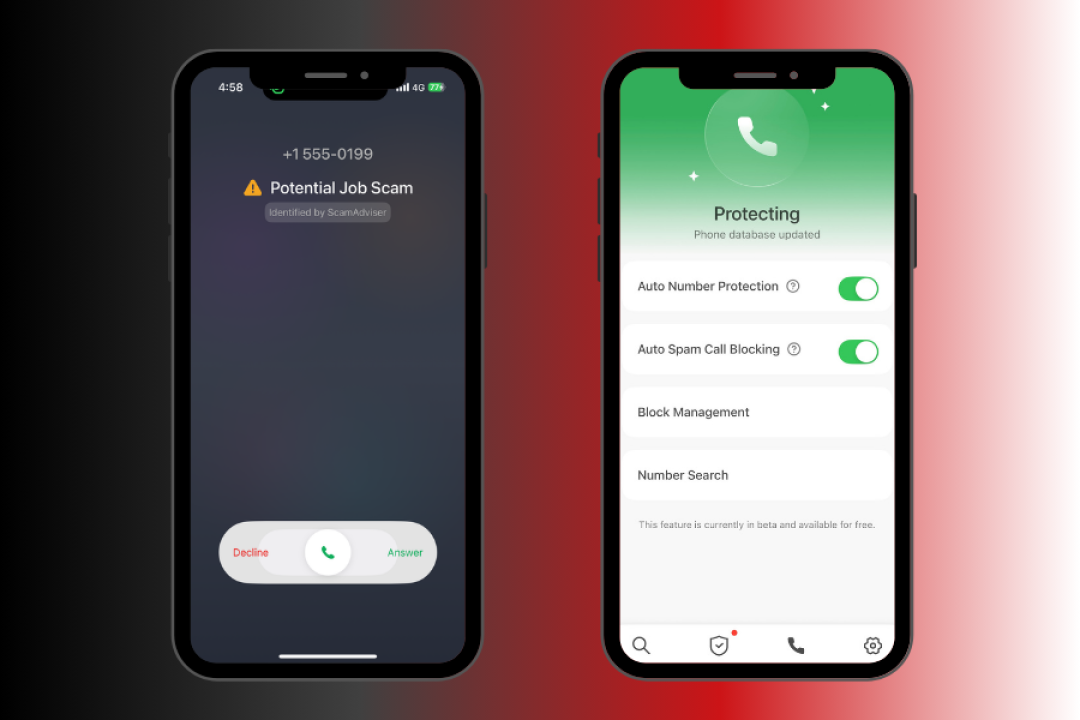
Privacy note: ScamAdviser does not store records of the pages you visit. The URL checking happens in real time for the purpose of threat detection only, with no personal browsing history retained.
The ScamAdviser app is free to download on both the Apple App Store and Google Play, and it serves over 6.5 million consumers every month globally.
This is not an argument against VPNs. They serve a real purpose. The argument is against using a VPN as a substitute for scam protection, which is a category error that leaves a critical gap in your defenses.
Think of your online security in layers:
Each layer addresses a different attack surface. The mistake most people make is assuming layer one covers layers two, three, and four. It does not.
"VPNs secure your connection, not your judgment. Phishing relies on direct manipulation, so the best defense is vigilance and sound browsing practices." — Reddit discussion on VPN limitations
The scam landscape of 2025 and 2026 is not the same as it was five years ago. Fake websites are more convincing. Phishing messages are more targeted. Fraud operations are more organized. Relying on a single tool, especially one that was never designed for this specific threat, is a risk that the statistics make clear people cannot afford to take.
A VPN is a useful privacy tool. It is not a scam protection tool. The two categories solve different problems, and conflating them is exactly what scammers are counting on.
If you have been relying on a VPN to keep you safe from fake websites, phishing pages, and fraudulent online stores, you have a significant gap in your protection. The $16 billion lost to internet crime in 2024 did not happen because people failed to encrypt their connections. It happened because they visited fraudulent websites without knowing they were fraudulent.
Surf Shield in the ScamAdviser app closes that gap. It works automatically in the background, checking every website you visit against a database built from scanning over a million new sites every month. When something looks wrong, it tells you before you have a chance to make a costly mistake.
Download the ScamAdviser app on iOS or Android, enable Surf Shield, and add the layer of protection that a VPN was never designed to provide.

Is Surf Shield a VPN?
No, Surf Shield is a scam detection tool that checks websites in real time rather than hiding your IP address or routing your traffic through remote servers.
Can a VPN protect you from phishing websites?
No, a VPN encrypts your internet connection but cannot detect or block fake websites designed to steal your information.
Do scam websites use HTTPS and SSL certificates?
Yes, many scam websites use HTTPS and SSL certificates, so the padlock icon alone is not proof that a site is legitimate.
Should I use a VPN and scam protection together?
Yes, using a VPN for privacy alongside a scam detection tool for website verification provides much stronger protection than either one alone.
Adam Collins is a cybersecurity researcher at ScamAdviser who operates under a pseudonym for privacy and security. With over four years on the digital frontlines, he specialises in translating complex threats into actionable advice. His mission: exposing red flags so you can navigate the web with confidence.
